Showing posts with label Facebook. Show all posts

Tuesday, 5 November 2013

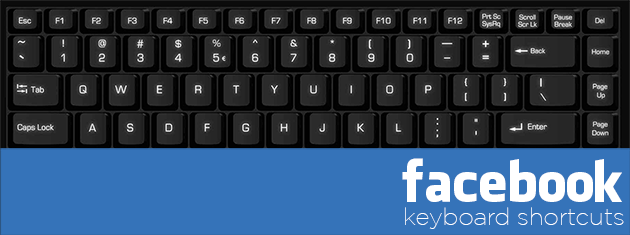
Facebook Keyboard Shortcuts To Use Facebook Faster

0

In my opinion, now 50-60% of people living in this world are using Facebook and spending half a day with it. Some people use it for fun while some people use it for discuss about important deals and so on. Facebook always wants to provide good user experience to these people. That is why, day by day, Facebook introducing new features that make Facebooking even easier and better. Recently, Facebook introduced some new keyboard shortcuts that help you to navigate Facebook faster.

So, if you are fed up with using mouse to navigate Facebook and want to make your Facebook activities easier and faster , then check out following Facebook keyboard shortcuts.

Facebook Keyboard Shortcuts


  • j , k — Scroll between News Feed stories
  • p — Post a new status
  • — Like or unlike the selected story
  • c — Comment on the selected story
  • s — Share the selected story
  • — Open attachment of the selected story
  • — Search
  • q — Search chat contacts
  • ? — Show help dialog
  • Enter — Focus on the text box when making a post
  • Ctrl + Alt + 0 — Help
  • Ctrl + Alt + 1 — Home
  • Ctrl + Alt + 2 — Timeline
  • Ctrl + Alt + 3 — Friends
  • Ctrl + Alt + 4 — Inbox
  • Ctrl + Alt + 5 — Notifications
  • Ctrl + Alt + 6 — Account Settings
  • Ctrl + Alt + 7 — Privacy
  • Ctrl + Alt + 8 — About
  • Ctrl + Alt + 9 — Terms
  • Ctrl + Alt + m — New Message
You can also bring these shortcuts on your desktop screen while using Facebook. Just pressshift+?

What do you say? Will these Facebook keyboard shortcuts help you to navigate Facebook faster than mouse?

How to automatically wish facebook friends on their birthdays ?

0
images
In today’s world friendship is maintained through facebook.You either make or break friendships on facebook.I would prefer making friendships rather than breaking them . I am sure even you would like to make new friends ! Wont you ? The most important day of anybody’s life is his / her birthday. He / She expects her friends to wish them and earn blessings from them. Wishing Happy Birthday through facebook creates a special bond with the particular person . Hence it becomes necessary to wish a HbD ! 


Many times you forget to post birthday wishes on the walls of your friends. No more worries from now. BrthdayFB is an  Facebook App that automatically posts birthday wishes on the walls of your Facebook friends. 

Advantage of using birthdayFB

There are many other apps like this one but the advantage of using birthdayFB is that it does not let your friends know that you are using a third-party tool to remember their birthdays.

Just follow 3 simple steps

2012-06-19_205907
  • Go to birthdayfb.com and click connect with facebook button.
  • birthdayFB asks for permission to access your data.Click on Allow.
  • After that you would see a list of upcoming birthdays.
  • Go into the Write Messages section  to compose your messages.
  • You can schedule a different time slot from the default one (which is 9am-11am). Go intoPreferences and tweak the settings.

    Thats it ! Open-mouthed smile Enjoy wishing your friends without even taking the hardship of typing !

Change Profile/Id Name After Crossing Limit For Facebook Account

0
change name Facebook Profile
Facebook is best social media as we know and they always tries to make more simple for using and try introduced what is treading or what the people want. But Facebook have some policies guidelines for using their features and option in correct manner without producing spam. Facebook usage terms never allow any account to use any feature in excessive way. As in my recent article i also discuss about name limit of Facebook page. Change Name of Facebook Pages After crossing limit Means After 200+ likes your are not able to change Page name just to reduces the spams and help to making Facebook more user friendly. But now days Facebook build best and responsive help center. Now for many of the features which are not publicly able to change you can request to Facebook Customer help support for solution.
Today i going to discuss about the another feature from the Facebook help support team after request to change name after crossing limit. As per rule you are eligible to change name for particular account 4,5 times only.  After crossing limit you are not able to change it again and you are only able to change name from 5 listed names. So don't worry if you have crossed out limit then no need to worry you have another change to get your real name back on your personal account. We have the solution to change to once but if you have not crossed the limit then i recommend you to try my trick about 
Making single Name Facebook Account i hope like that one. Now for change name follow below steps.

Requirements:-

  • One government or any Id Proof which show your image and name clearly.
  • Choose your own Profile pic same of that person in id person
  • Little bit common sense :P

Request Facebook To Change Profile Name


  • Make sure that your account change name limit is full from Account settings. They show this message
"You can't update your name right now because you've already changed it too many times"
  • If you want to request then You need to fill request form then Click Here
  •  Open this form from that account whose name you want to change
  • Now you need to enter the accurate information in request form.
  • Enter the accurate First, middle and then last new name in form which you want.
  • Then select the reason for changing name
  • Then upload Image of your correct document which clearly show the name you are using.
  • Then click on the send button and wait for a week for request approval

After the request approve Facebook will change your name automatically. Sometimes Facebook don't accept your request and they may mention the reason in your email. Possibly your new name do not match name policies that's why Facebook rejects new name.

I feel that you enjoy this tutorial and hope it works successfully for your. Must share with others also. If you have any doubt must leave your precious comment

How To Verify Your Facebook Page or Profile ? Steps To Become Verified

0
Facebook recently introduce new feature to show that a page or profile is verified or not. As a normal Facebook user we all create account or page with our name and it is also possible to create multiple account on same name. Their are number of same name pages or account for any celebrity, public figure or for any business. So Facebook take serious step to make clear that which one is official for all the rest of others. This verification show that the page or profile your are visiting official represent someone or maybe a property of anybody.
facebook verified Page

What is verified Profile or Page ?


According to this new option some pages and Profiles are  claim as Official and verified by Facebook. You may observe on many profiles and pages their is Blue Color Tick Badge just in the next of name.  
facebook verified badge


Facebook only four type of pages or profiles which are
  • Celebrities
  • Journalists
  • Government Officials
  • Popular Brand or Businesses
These are four categories whose pages and profiles are claimed by Facebook based on their popular. Suppose if you have any local business which is popular then Facebook may claimed your page if you are official representative. Then their is no need to submit any type of request to Facebook. They automatically claim your page as verified depend on some details and minimum requirements mention by Facebook.

How To Get Verified ?


If your profile or any Page whose your are official representative and also based on above mention categories then their are chances of your page to get verified. Actually Facebook does not have any request form to claim verified this is totally automatic process done from Facebook side. So to become verified in future you should have to do some changes in your Profile or Page
  • Your page should be official represent your local business or any personality and may be have some popularity on Facebook.
For Facebook claiming process your page or profile must have minimum details because if you add full details accurately then Facebook automatically check your provided information if they find your page or profile details accurate and helpful then verify your page here are two parts mention by Facebook to become verified
  • Link To Your Profile or Page From Official Website and also link website on your page or profile.
  • Provide accurate information in details about your business in About Section of Page or Profile
In About section must add significant long and short description, keyword who represent your business, Email, Website, Products and verified page location with claimed business address and other details in Page Info tab. Just for example as shown below

facebook page about
For more details visit help center here for Profile or Page About info.
These are some tips which help you to get verified if your profile or page is official. Facebook don't guaranteed  about all pages to get verified because its totally depend on Popularity and accuracy. So add all information and wait until page processed your profile or page to make you verify. According to me it takes almost 40-50 days after adding info to get verify if Facebook approved your account or page.

I hope you learn something new in this article to make your business or powerful and trusted on Facebook also. If you have any question feel free to share your comment.
How to post BLANK status on Facebook

0

There are many different ways and techniques to make your Facebook experience better. By Using different funny tricks you can easily attract your Facebook friends. As i have already discuss my Facebook tricks. As in my recent post about using different symbols in Facebook. If you also like Facebook chat tricks then you can see my earlier post about using colorful text in chat 

Now here another trick related to Facebook status about posting an empty status without writing anything as you can see in below image. It is very easy and simple to post empty status or comment on Facebook but if you don't know how to do then follow my below given simple steps to enjoy this trick.


Simply Follow these Steps

  • Open your Account and go to the update status tab or in comment box
  • Now hold Alt key and type 0173.
  • Now release the Alt Key and Click on Post to Share your Empty Status or Empty Comment.
  • Now your Empty Status or Comment has been Posted on Facebook.

    Important Note :- ( Use Only Right Side Numbers given on your keyboard.)

    How to increase Facebook Account Security

    0


    Facebook is a largest Social media, millions of people all around the world use Facebook to contact their friends, family or making some new friends. Due to this reasons, Facebook founder Mark Zuckerberg  adding New feature day by day to make Facebook simple  and easy to access.

    But in a recent years many of  Hackers and lots of Fake accounts makes Facebook out of control. Due To this reasons thousands of peoples lost their account daily because of lack knowledge about Securities of Facebook.  But Facebook developers and Engineers doing Great Jobs and introducing new security feature day to day


    Now If You want Protect your account from these Spammers and want to increase your account security just follow my given these Steps.

    • After you Press on Click here button given above, New tab will appear.
    • Then Enter your Password, after then See your Overall Protection 
    • After Setup Your Security question 
    • Then add your minimum 2 email Address 
    • Then Set your minimum 1 phone no.
    • After all these steps see your overall protection


    After doing all these steps your account become fully secure. but you face any problem. or want any other Facebook help. I'll glad to help you.

    Log In Your Too Many Facebook Accounts with Google Chrome.

    0

    Many peoples have too many Facebook account and but to open 3,4 or more accounts at same time is a great problem for many peoples Because to log in your many accounts you need  different browsers.
    But by using this trick their is no need to download different browsers for using Facebook because Google chrome has option of add new user in which u can browse differently by making new different browser.

    Follow these simple step for adding new users in Google chrome

    • Firstly download Latest version of Google chrome.
    • Then Open Google chrome and go to Settings.
    • Then Click On Add New Users at users option.
    • By using to option you can add many user.
    • It is so simple to do,  just take a look at all steps shown below.


    If you want any kind of help feel free to ask me in comment box...:)

    © 2013 iPRESS. All rights resevered. Designed by Templateism